Arduino STM32druino
概览
关键字:Arduino、Nucleo-64、STM32F103RB
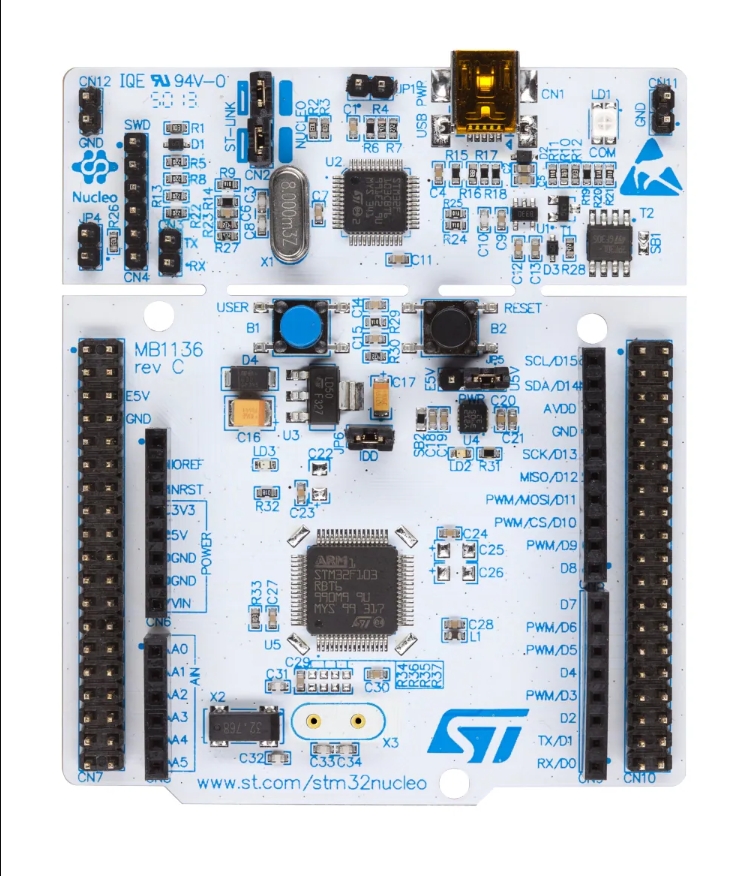 |
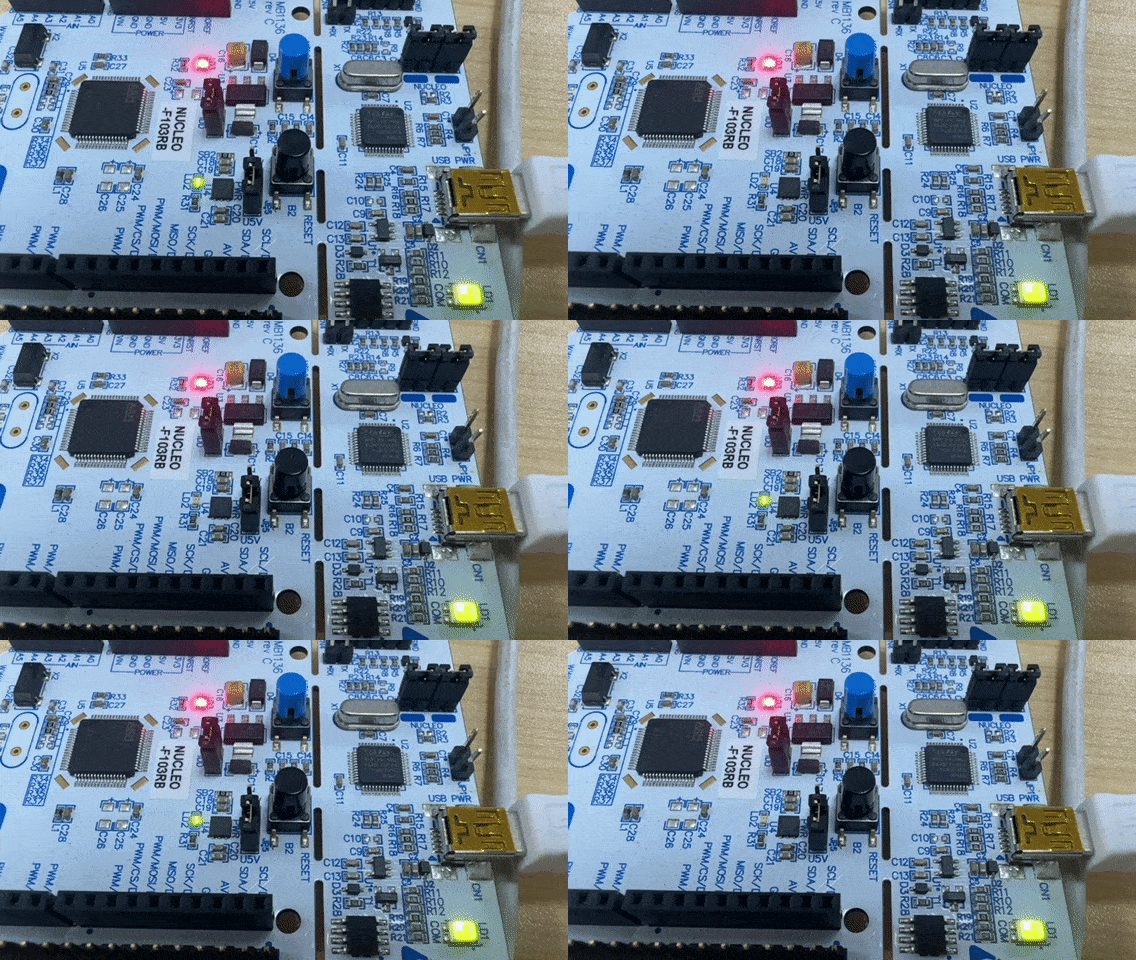 |
|---|---|
| 板子图片 | 显示效果 |
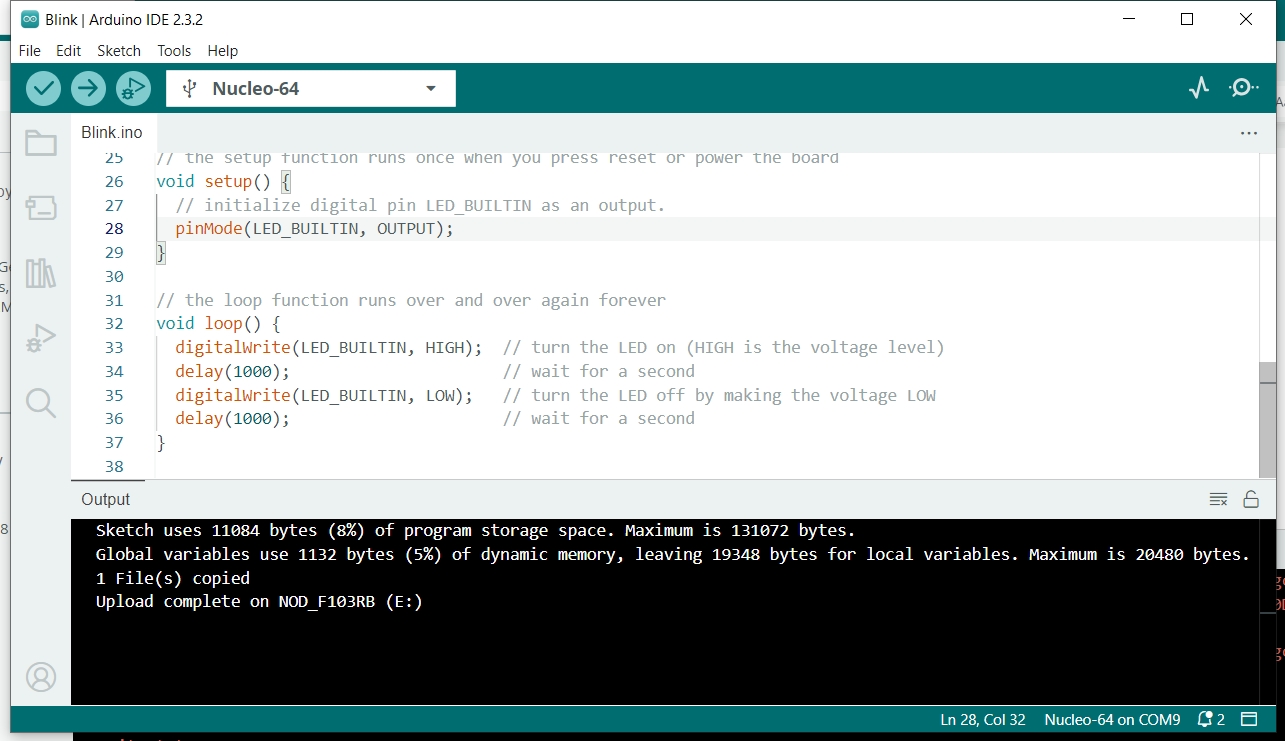 |
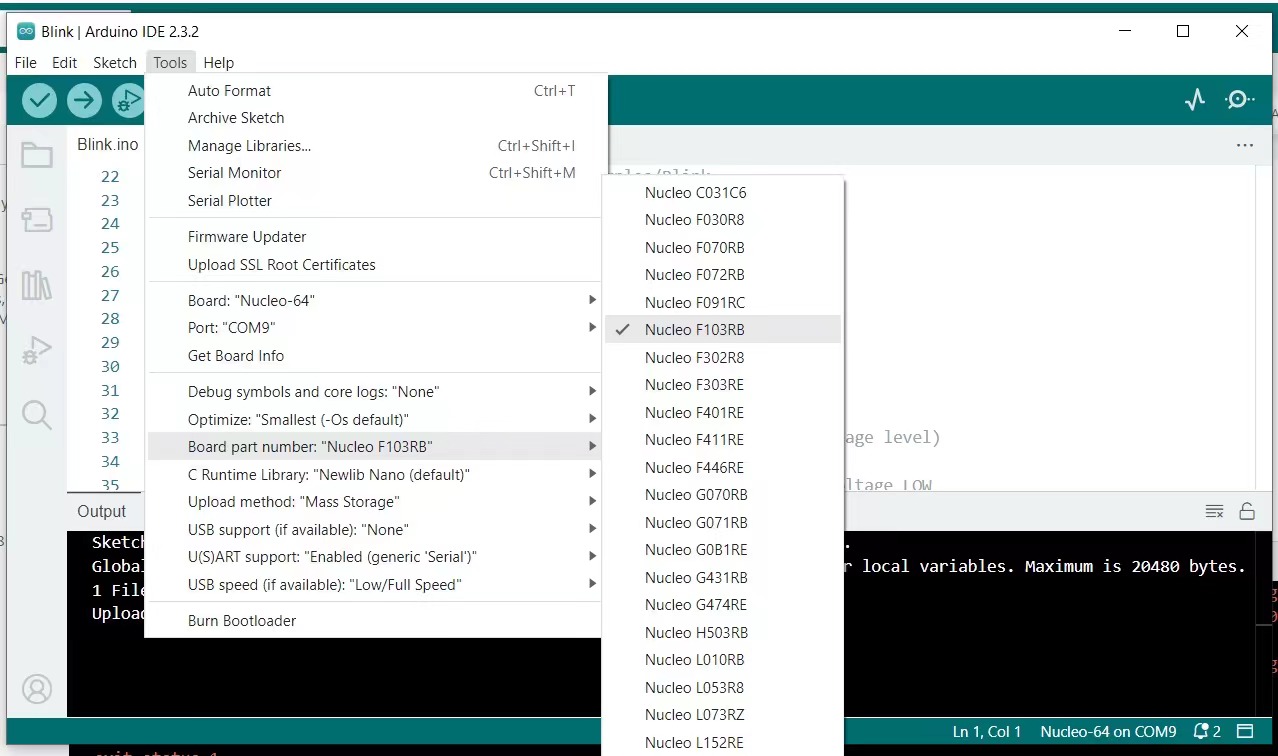 |
|---|---|
| HelloWorld点灯 | 注意配置-F103RB |
调试串口
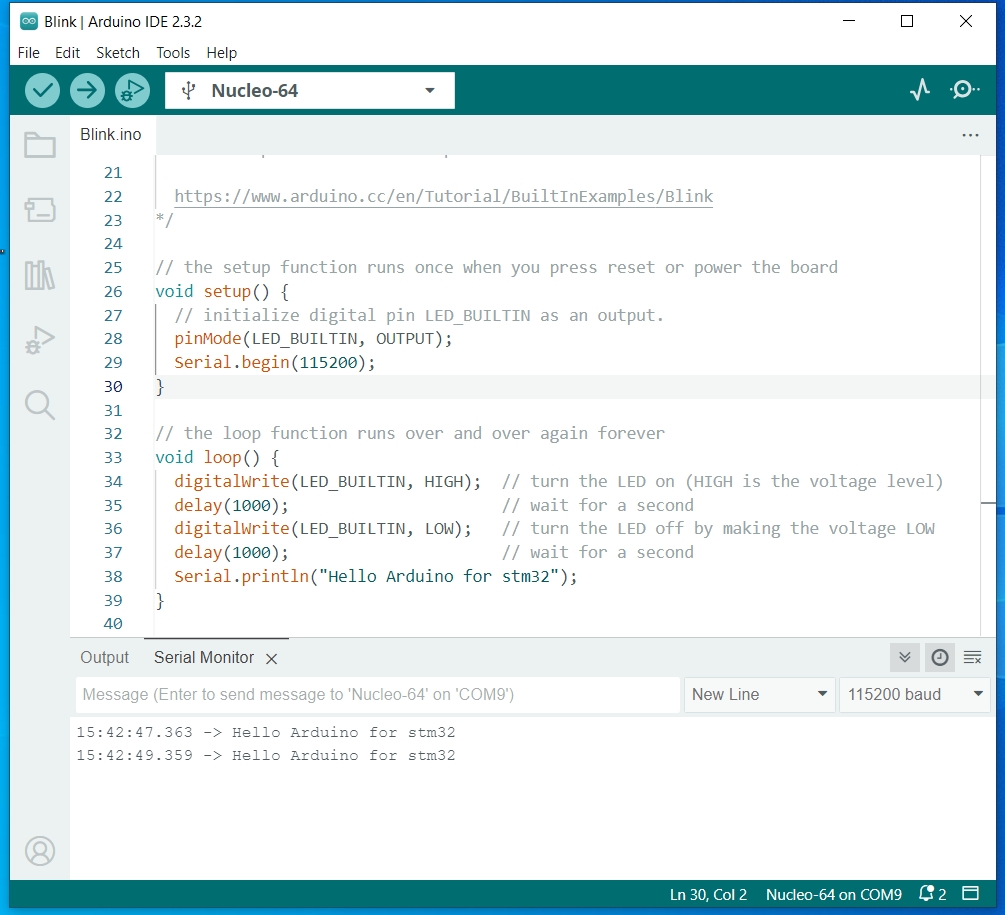
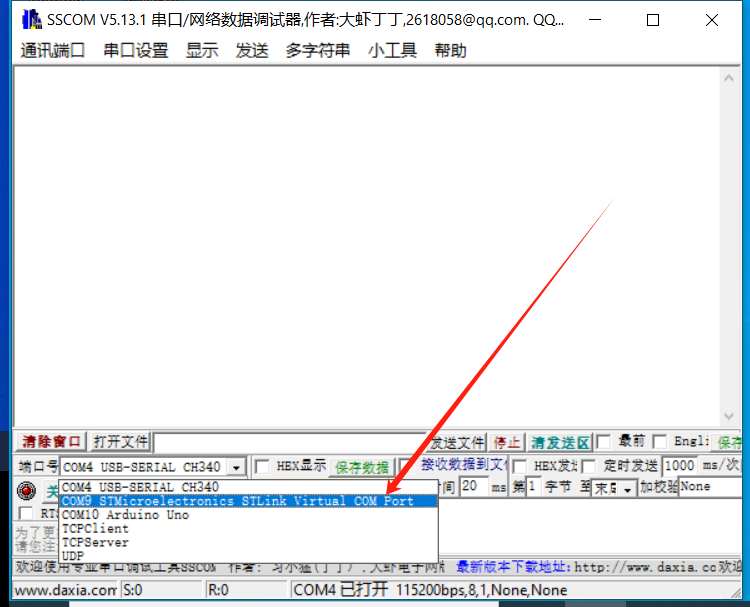
默认调试串口是STLink虚拟的,使用串口助手连接“默认的D1D0”是接收到不数据的,因为那是Serial2,这也说明调试串口不占用D0D1。
 |
 |
|---|---|
| 串口Demo | 串口名字 |
D1D0串口使用
硬件修复
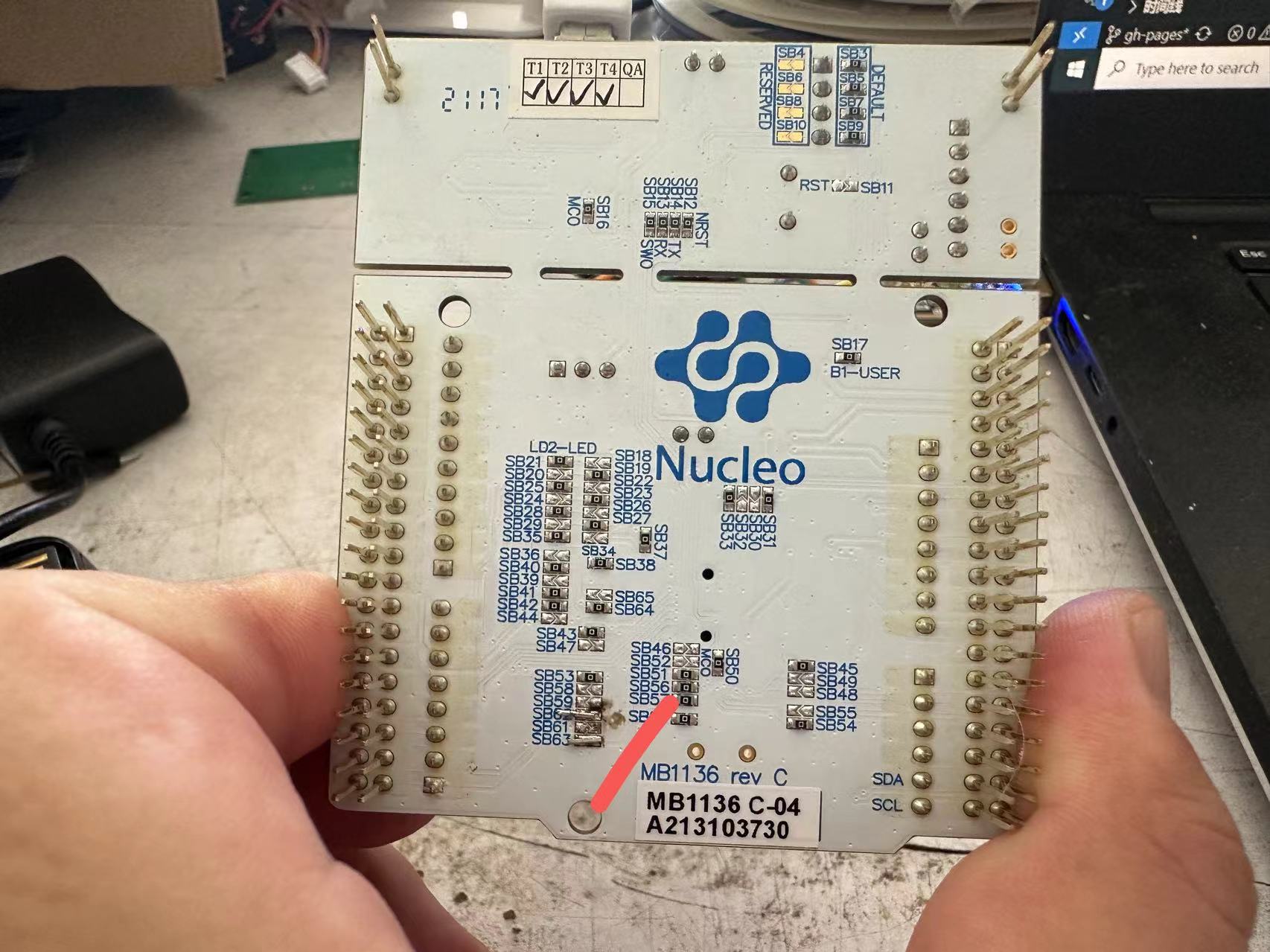
默认D0、D1不可用,需要按照如下图所示:
 |
|---|
| 修复D0 D1不可用问题 |
使用Serial2
如果要用D1D0所在的串口,则需要软件上直接使用Serial2,这一点和ESP32类似。
// the setup function runs once when you press reset or power the board
void setup() {
  // initialize digital pin LED_BUILTIN as an output.
  pinMode(LED_BUILTIN, OUTPUT);
  Serial.begin(115200);
  Serial2.begin(115200);
}

// the loop function runs over and over again forever
void loop() {
  digitalWrite(LED_BUILTIN, HIGH);  // turn the LED on (HIGH is the voltage level)
  delay(1000);                      // wait for a second
  digitalWrite(LED_BUILTIN, LOW);   // turn the LED off by making the voltage LOW
  delay(1000);                      // wait for a second
  Serial.println("Hello World! Here is Serial");
  Serial2.println("Hello World! Here is Serial2");
}
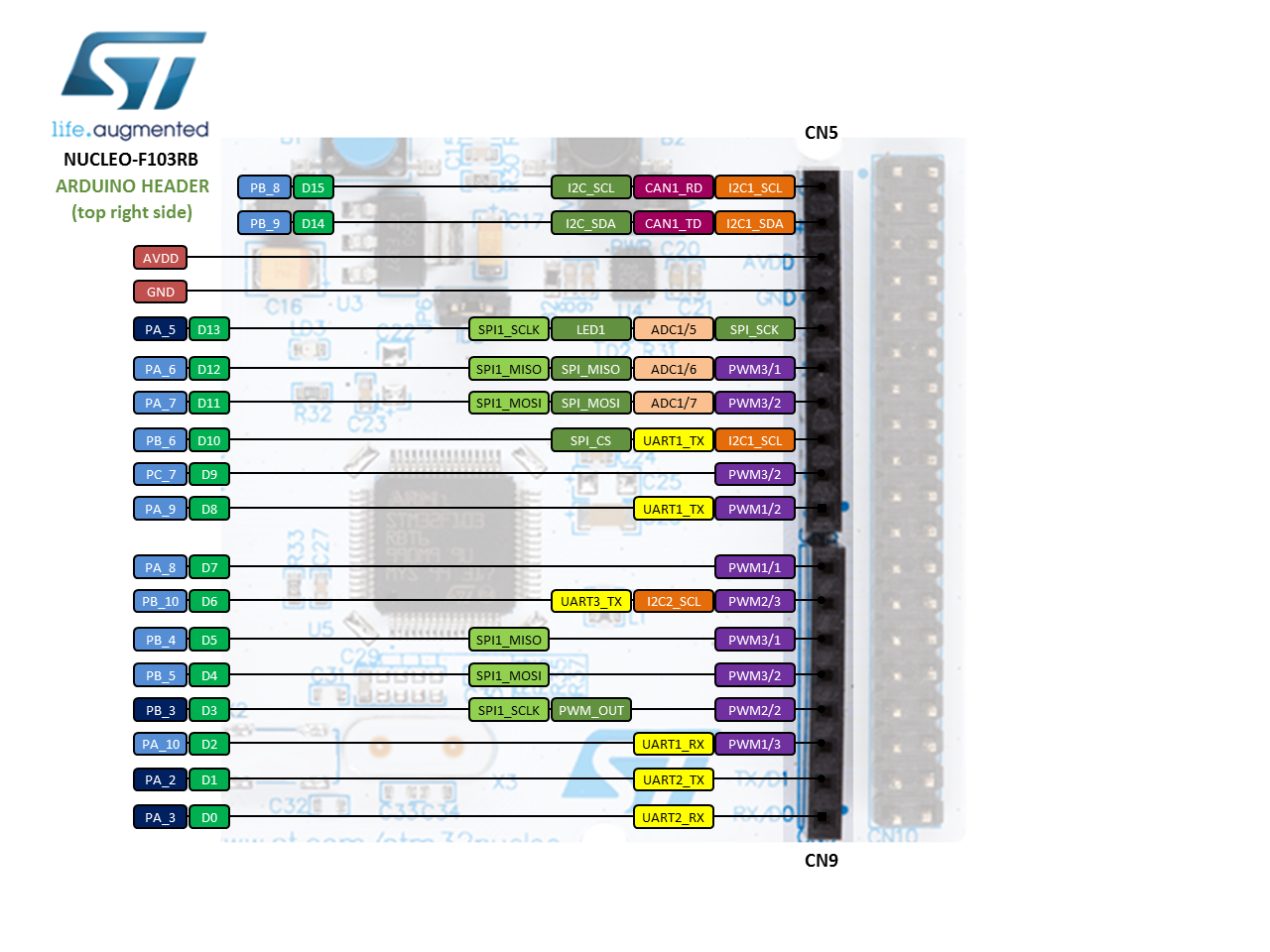
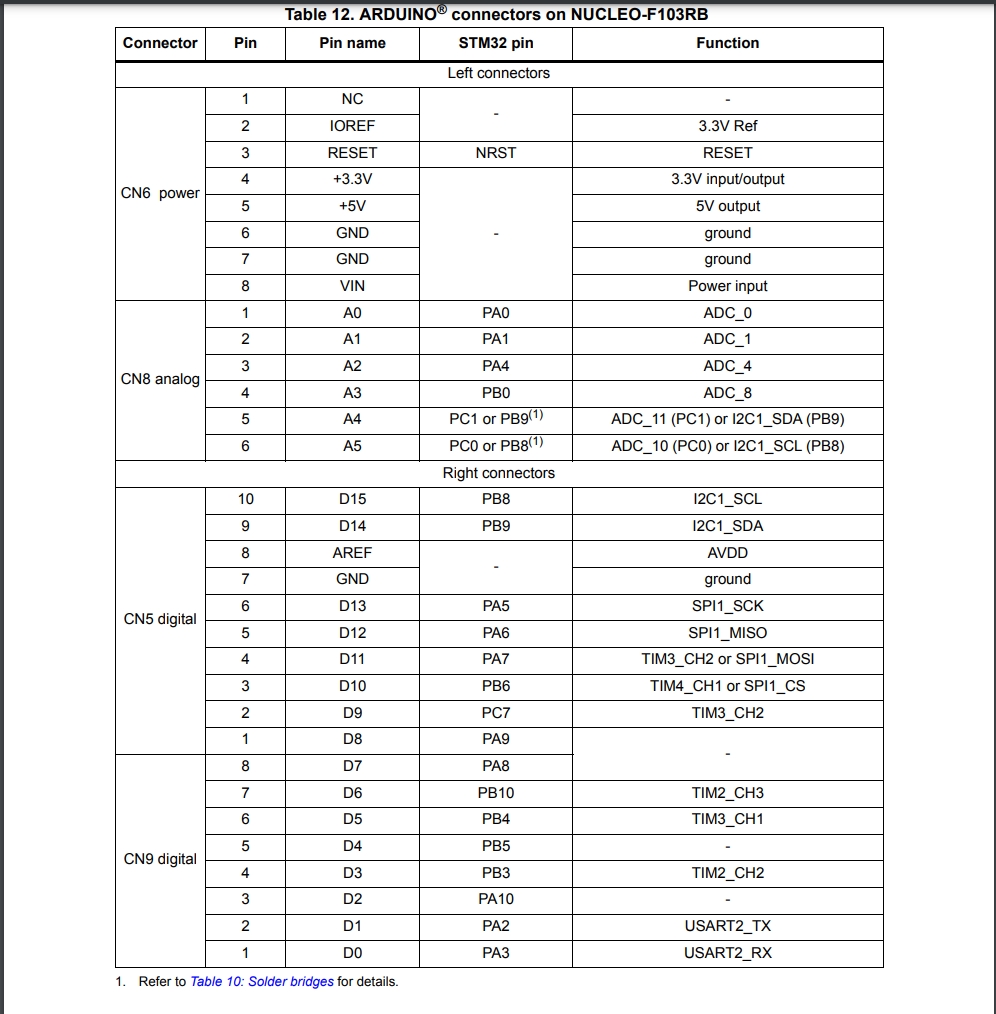
引脚图
 |
 |
|---|---|
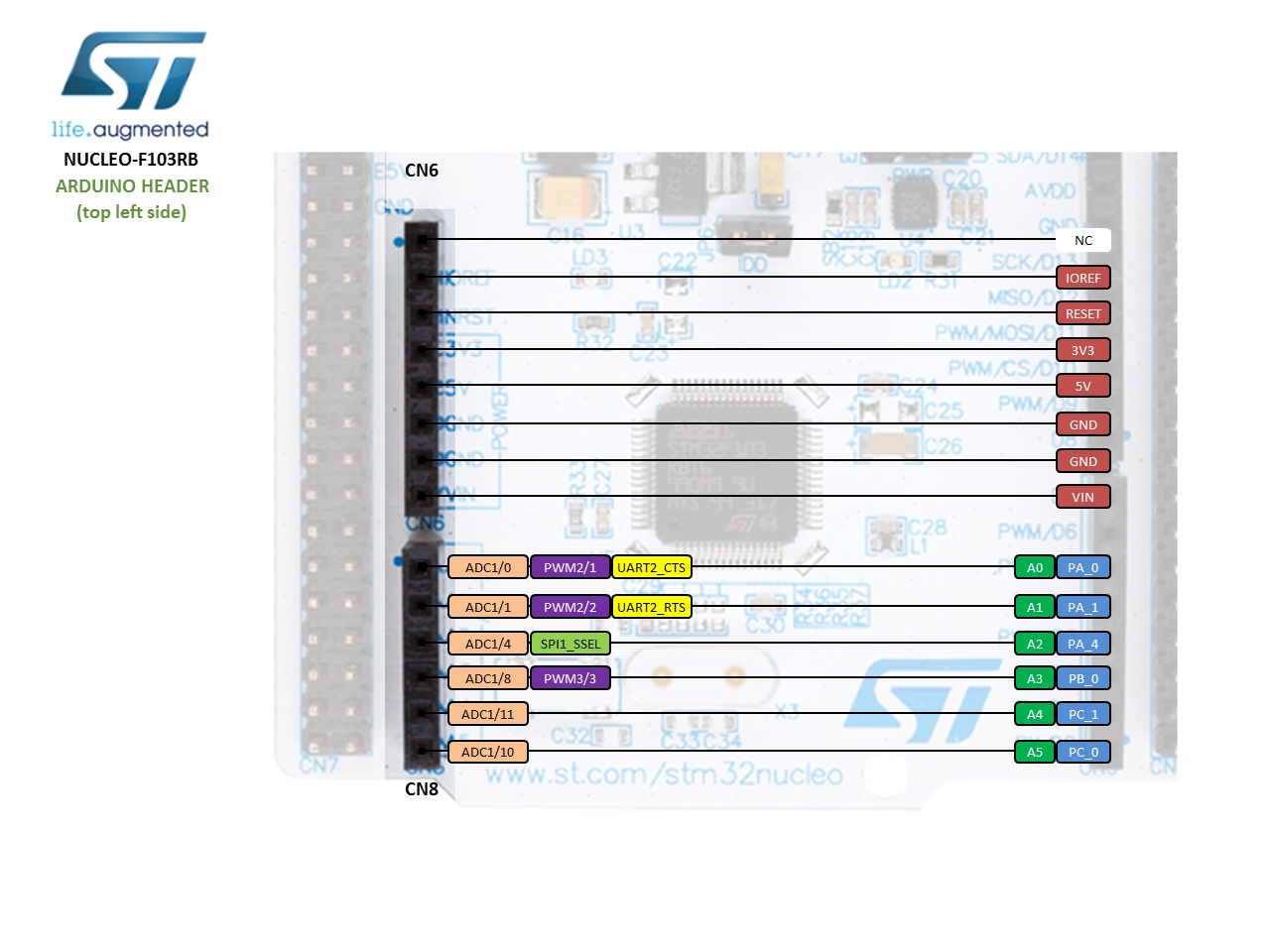
| Arduino风格管脚 左 | Arduino风格管脚 右 |
 |
|---|
| 数据手册中管脚对应图 |
补充配置电路板
https://github.com/stm32duino/BoardManagerFiles/raw/main/package_stmicroelectronics_index.json
更多参考资料:
https://os.mbed.com/platforms/ST-Nucleo-F103RB/
For STM32F103C8T6 board, the default Serial is actually mapped to the 2nd serial port of the chip. This port is wired to the on-board ST-link. You can then plug your PC to the USB-port of the ST-link and get Serial Monitor on Arduino IDE right away.
来自:https://www.stm32duino.com/viewtopic.php?t=1354
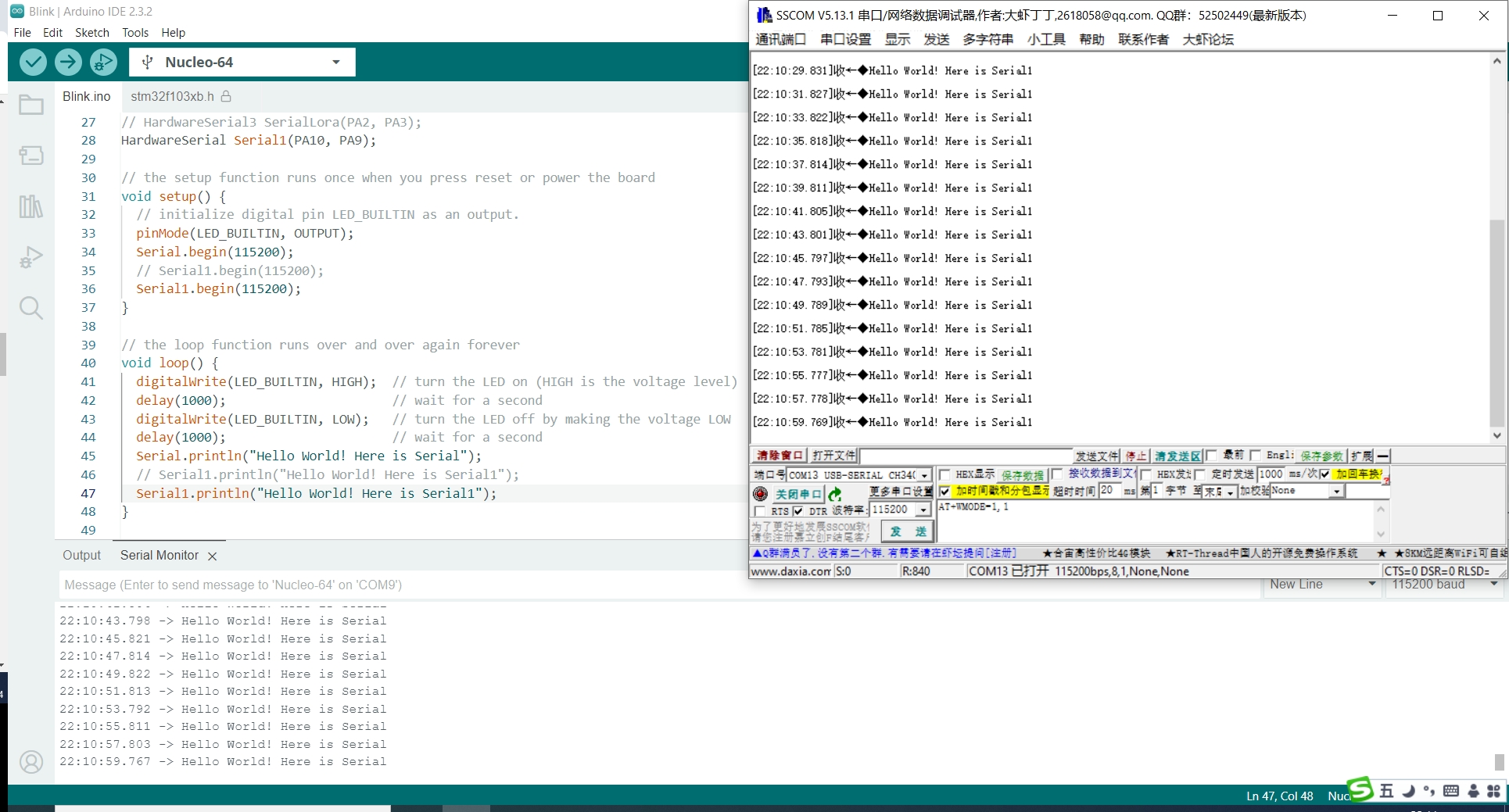
硬件串口1的使用
 |
|---|
| Serial1的使用 |
HardwareSerial Serial1(PA10, PA9);

// the setup function runs once when you press reset or power the board
void setup() {
  // initialize digital pin LED_BUILTIN as an output.
  pinMode(LED_BUILTIN, OUTPUT);
  Serial.begin(115200);
  // Serial1.begin(115200);
  Serial1.begin(115200);
}

// the loop function runs over and over again forever
void loop() {
  digitalWrite(LED_BUILTIN, HIGH);  // turn the LED on (HIGH is the voltage level)
  delay(1000);                      // wait for a second
  digitalWrite(LED_BUILTIN, LOW);   // turn the LED off by making the voltage LOW
  delay(1000);                      // wait for a second
  Serial.println("Hello World! Here is Serial");
  // Serial1.println("Hello World! Here is Serial1");
  Serial1.println("Hello World! Here is Serial1");
}
硬件连接
D2 RX
D8 TX